Vai al contenuto

Terminal

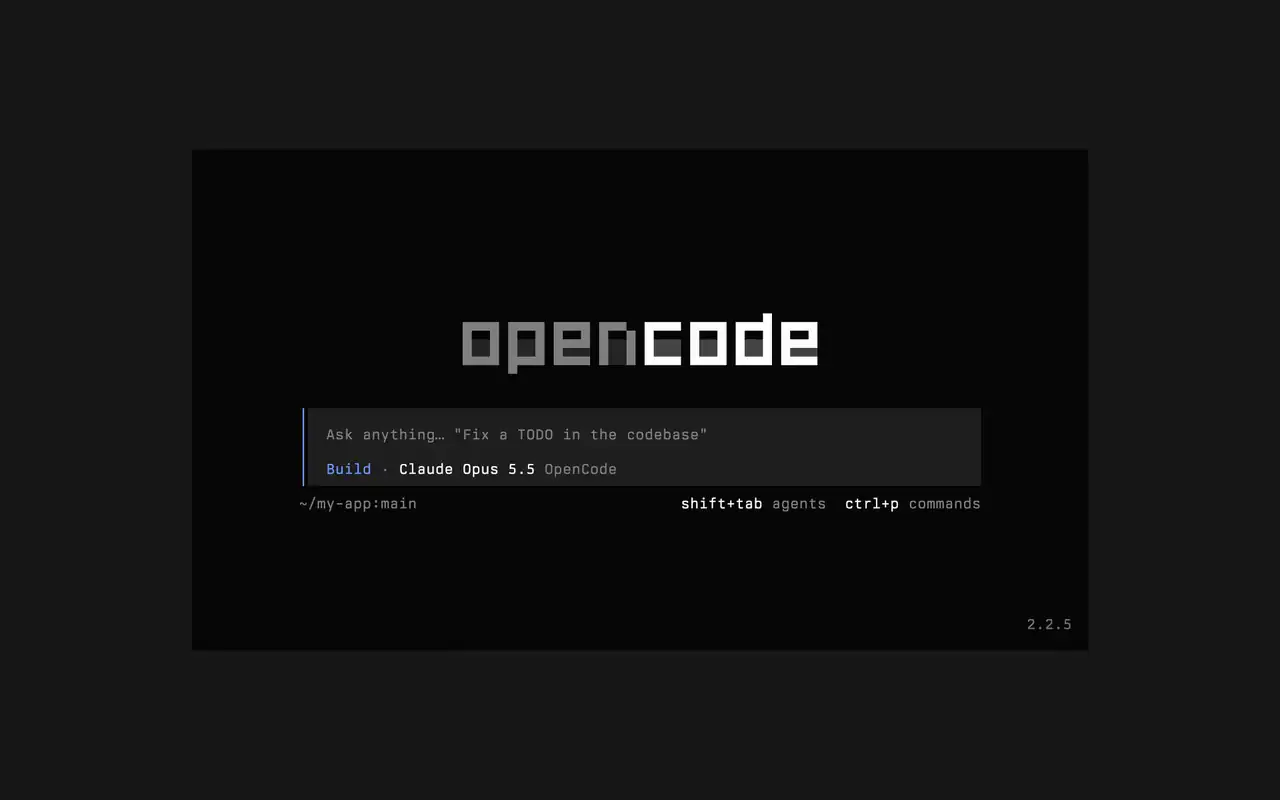
Un'interfaccia da terminale veloce che funziona in qualsiasi shell, editor o server remoto. Descrivi cosa vuoi a parole tue, guarda ogni modifica arrivare come diff e scegli quali comandi partono da soli.

Funzionalità

Chiedi a parole tue

Scrivi cosa vuoi, e l'agente mostra il suo piano mentre lavora.

Approva i comandi

Le modifiche appaiono come diff e i comandi aspettano il tuo permesso.

Fallo tuo

Cambia tema con un tasto, da quello predefinito a tokyonight e altri.

Mini

Esegui opencode mini e le risposte finiscono nel tuo scrollback.

  • Ogni terminaleFunziona in qualsiasi shell, nel terminale del tuo editor o su un server remoto.
  • Diff nella timelineVedi ogni modifica come diff nella timeline, mentre l'agente la fa.
  • Riprendi dopoContinua l'ultima sessione con -c, o una qualsiasi con -s.
  • Run singoliopencode run invia un messaggio e stampa la risposta.
  • Agenti e comandiCambia agente con shift+tab e apri tutti i comandi con ctrl+p.
  • Auto-approvaAvvia con --auto per consentire ogni azione che non hai negato.
  • Ogni serverCollegati a un server OpenCode tramite URL con --server.
  • Statisticheopencode stats mostra statistiche d'uso da condividere.

  • curlcurl -fsSL https://opencode.ai/v2/install | bash
  • npmnpm install -g @opencode/cli
  • bunbun install -g --trust @opencode/cli
  • brewbrew install anomalyco/tap/opencode-v2
  • paruparu -S opencode-beta

Changelog

  1. v2.3.1

    Removed time to first token (ttft) from the assistant message footer

    Removed time to first token (ttft) from the assistant message footer. Tokens per second still shows when session.tps is on.#63759

    Vedi tutte le novità principali di v2.3.1

    Miglioramenti

    • TerminalPermission prompts from a subagent, and from that subagent's own subagents, now appear while you view the subagent's session. Prompts also show in front of an open composer.#64343
    • TerminalThe export dialog under the new designs can save to the system temp directory as well as the project folder. Thanks @Tarquinen.#62490

    Correzioni

    • TerminalWhen another TUI sharing your tabs closes the session you're viewing, closing it here now moves to the neighbouring tab.#64261
    • TerminalFixed broken characters at the edges of the shell output viewer and the inline shell display when output is long.#63967#63984
  2. v2.3.0

    Quieter Transcripts by Default

    The TUI now summarizes each run of tool calls and thoughts into one collapsible activity row, so the answer is easier to follow. To see every step again, set Verbosity to medium or high in settings, or set session.verbosity in your TUI config; an existing setting is kept.#63207

    Vedi tutte le novità principali di v2.3.0

    Miglioramenti

    • TerminalSession IDs found in messages can now be opened directly.
    • TerminalActivity tabs are clickable and open the correct view.
    • TerminalShell mode has its own prompt color under the new designs.

    Correzioni

    • TerminalRestored pasted text when undo brings back its placeholder.
    • TerminalRestored the live draft after browsing prompt history.
    • TerminalFixed copying a paste from within the prompt selection.
    • TerminalPreserved the Mini composer caret when closing the command palette.
    Altri 5 correzioni
  3. v2.2.7

    The update and confirm dialogs have buttons you can move between with ←/→ and Tab/Shift+Tab

    Vedi tutte le novità principali di v2.2.7

    Miglioramenti

    • TerminalThe model picker no longer has a Usage action; use /usage instead.#62927

    Correzioni

    • TerminalSession exports are saved in the current working directory instead of the system temp folder.#62253
    • TerminalTyping a child session's exact ID in the open-session menu lists that session.#62262
    • TerminalThe TUI follows the terminal's current light or dark mode instead of a cached palette.#62248
Vedi tutti gli aggiornamenti